Technology Stack












Project Overview
AgentTube is an AI-powered content creation assistant built with Next.js that analyzes YouTube videos and automates asset generation. By simply pasting a video URL, creators can transcribe video content, receive AI-suggested video titles, generate improved alternative scripts, and generate custom AI thumbnails.
Objectives
The project aimed to achieve the following:
- Engineered an AI Content Agent – Built a full-stack dashboard utilizing Vercel AI SDK to generate video transcripts, titles, and scripts using models like Claude, Gemini, and OpenAI.
- Integrated Google & Convex APIs – Leveraged Google API services for video metadata extraction, caching outputs to Convex DB to minimize token cost and load times.
- Implemented Plan Billing & Tokens – Integrated Stripe and Schematic to support multi-tiered plans with fine-grained feature tokens and billing options.
- Secured Authentication – Implemented Clerk for robust, hassle-free Google and email-based login flows.
Architecture Flow
AgentTube uses a multi-step AI workflow that starts with a YouTube URL, extracts useful video context, builds structured prompts, routes requests through LLM providers, and stores generated outputs inside a user workspace.
- Used Gemini, Claude, and OpenAI through the Vercel AI SDK to generate scripts, titles, summaries, and thumbnail ideas.
- Used Convex to persist generated outputs, cache analysis results, and manage user-specific workspaces.
- Integrated Clerk, Stripe, and Schematic to handle authentication, subscriptions, and entitlement-based access.
Features
1. Landing & Marketing Experience
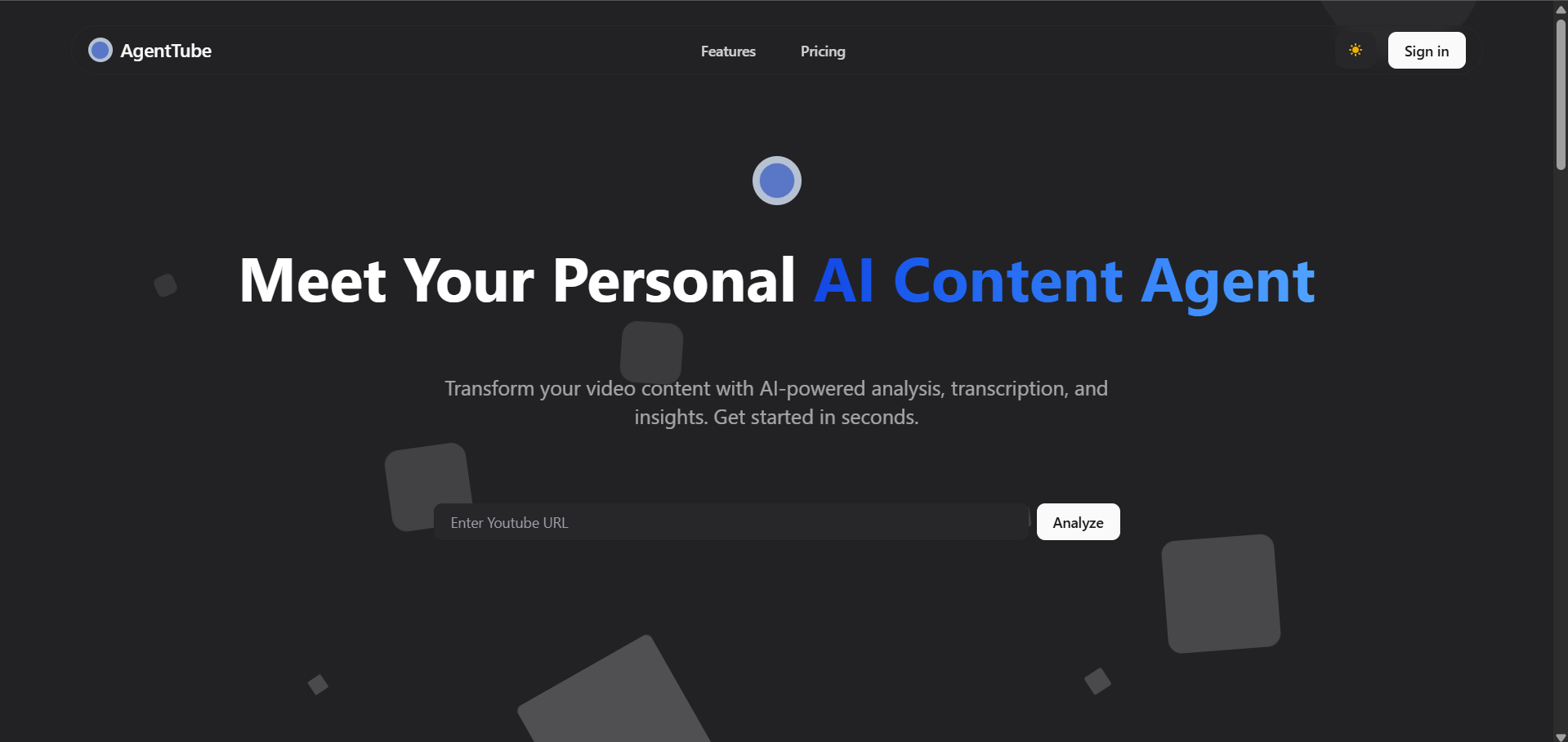
A fully responsive, high-converting marketing experience designed to showcase the platform’s core AI value.
Hero Section
Includes an optimized video analysis input bar acting as the entry point for the application. Creators can paste any YouTube URL to immediately trigger the AI pipeline.
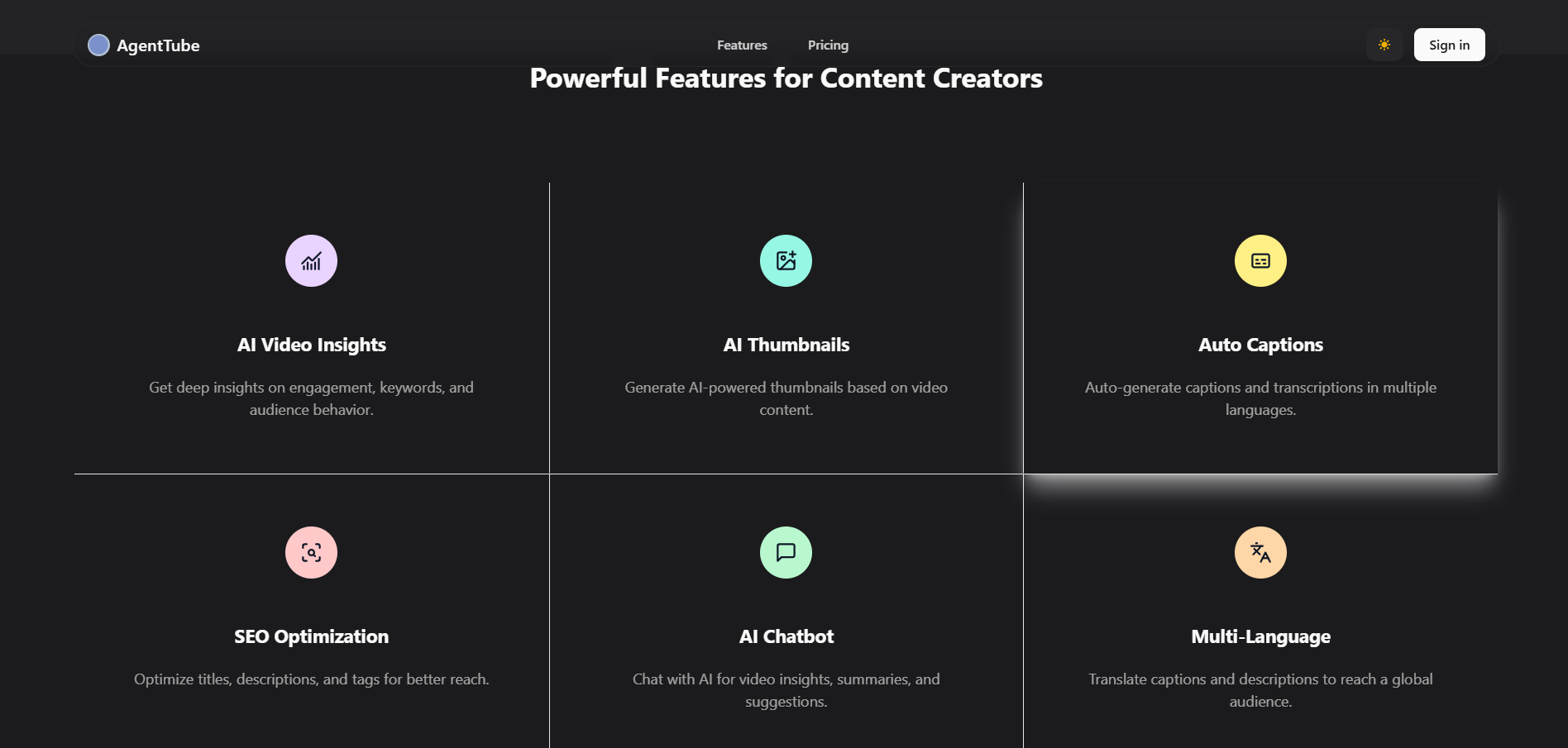
Product Features
A clean, visual layout highlighting the core value propositions of the platform, including script creation and high-resolution thumbnail generation.
Interactive Pricing Plans
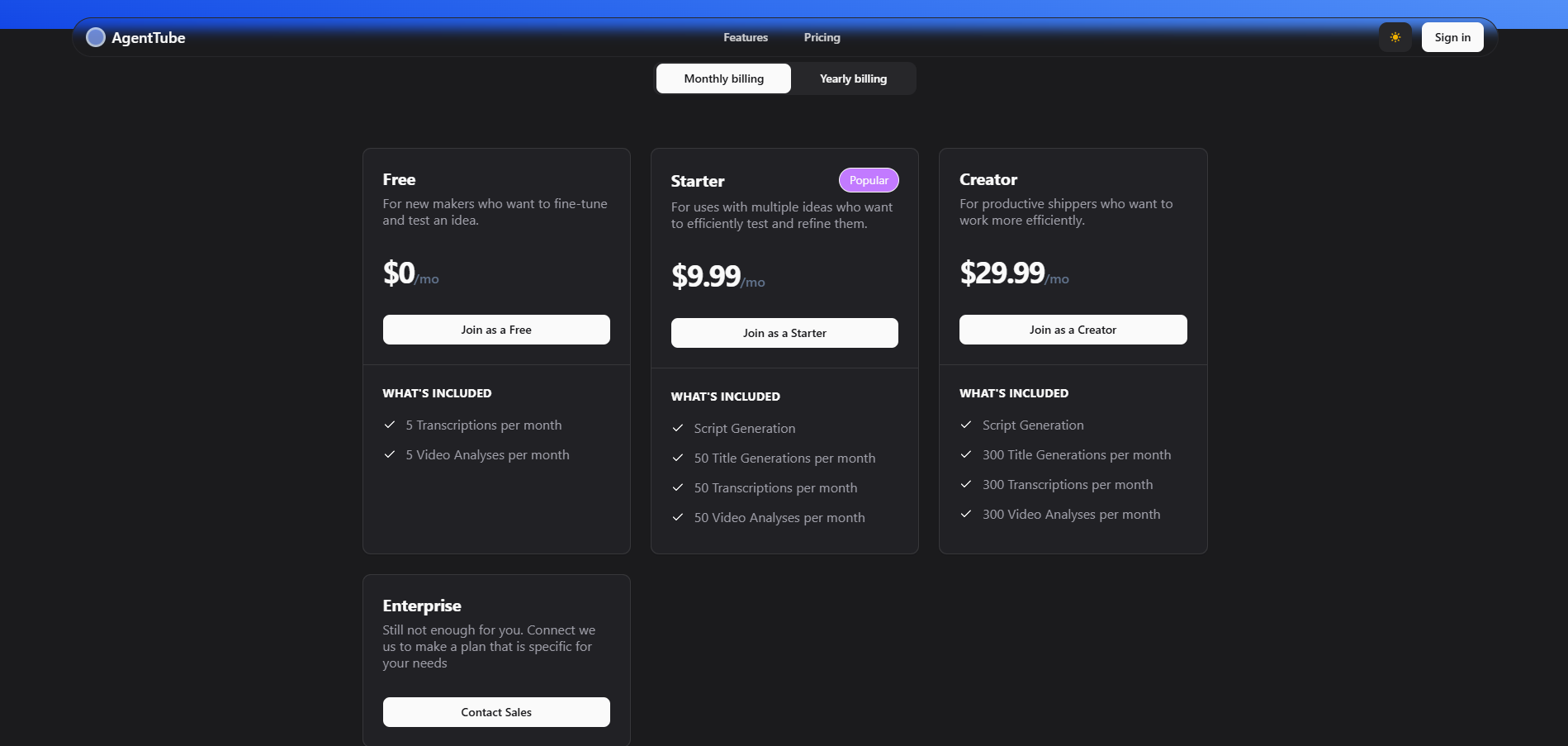
Showcases flexible, multi-tiered subscription pricing (Free, Starter, Creator, and Enterprise) with custom toggles for monthly and yearly billing.
2. Onboarding & Personalization
Seamless entry points prioritizing security and responsive aesthetic adjustments.
SignIn Screen
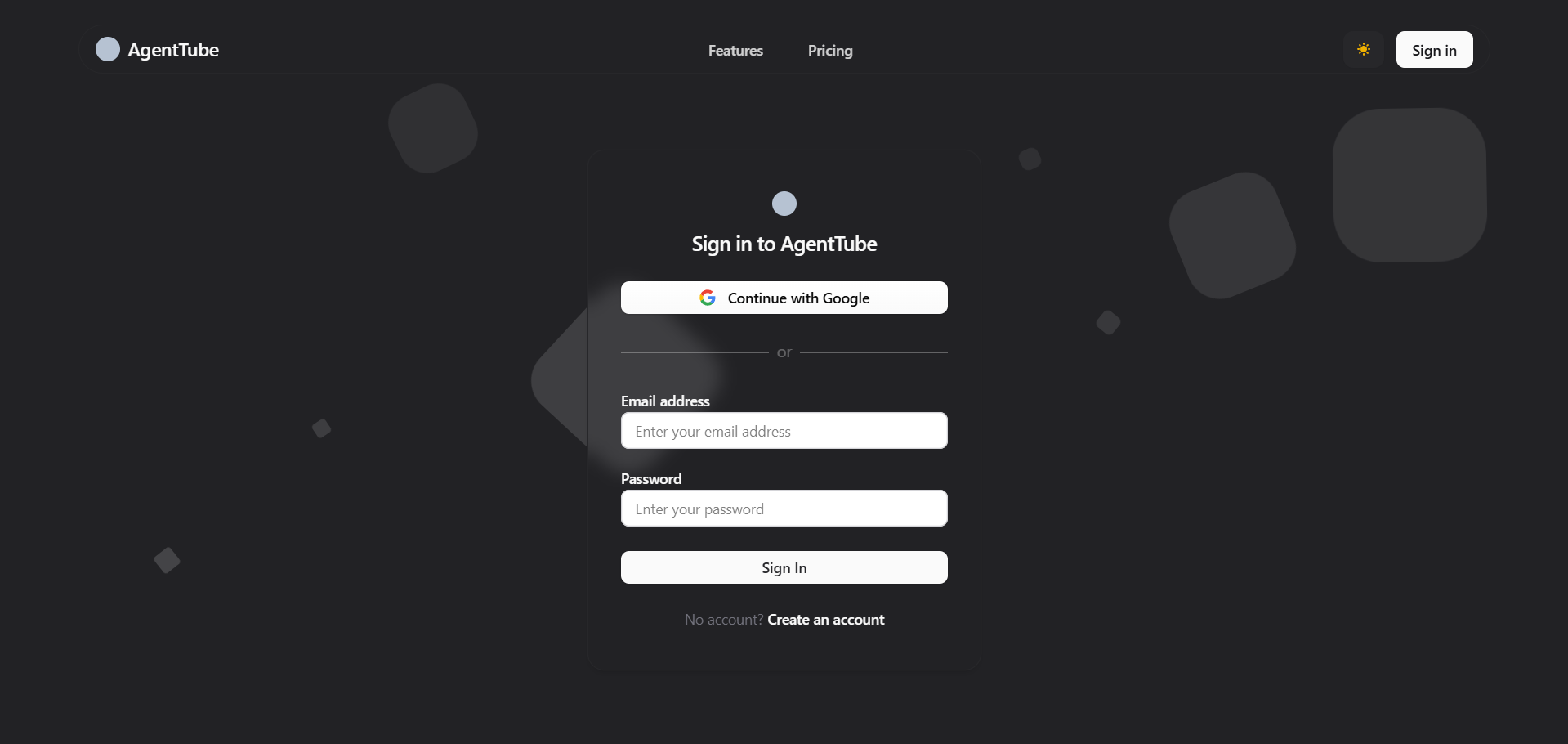
Secure social authentication (via Google) and email-based login utilizing fully customized Clerk SignIn components.
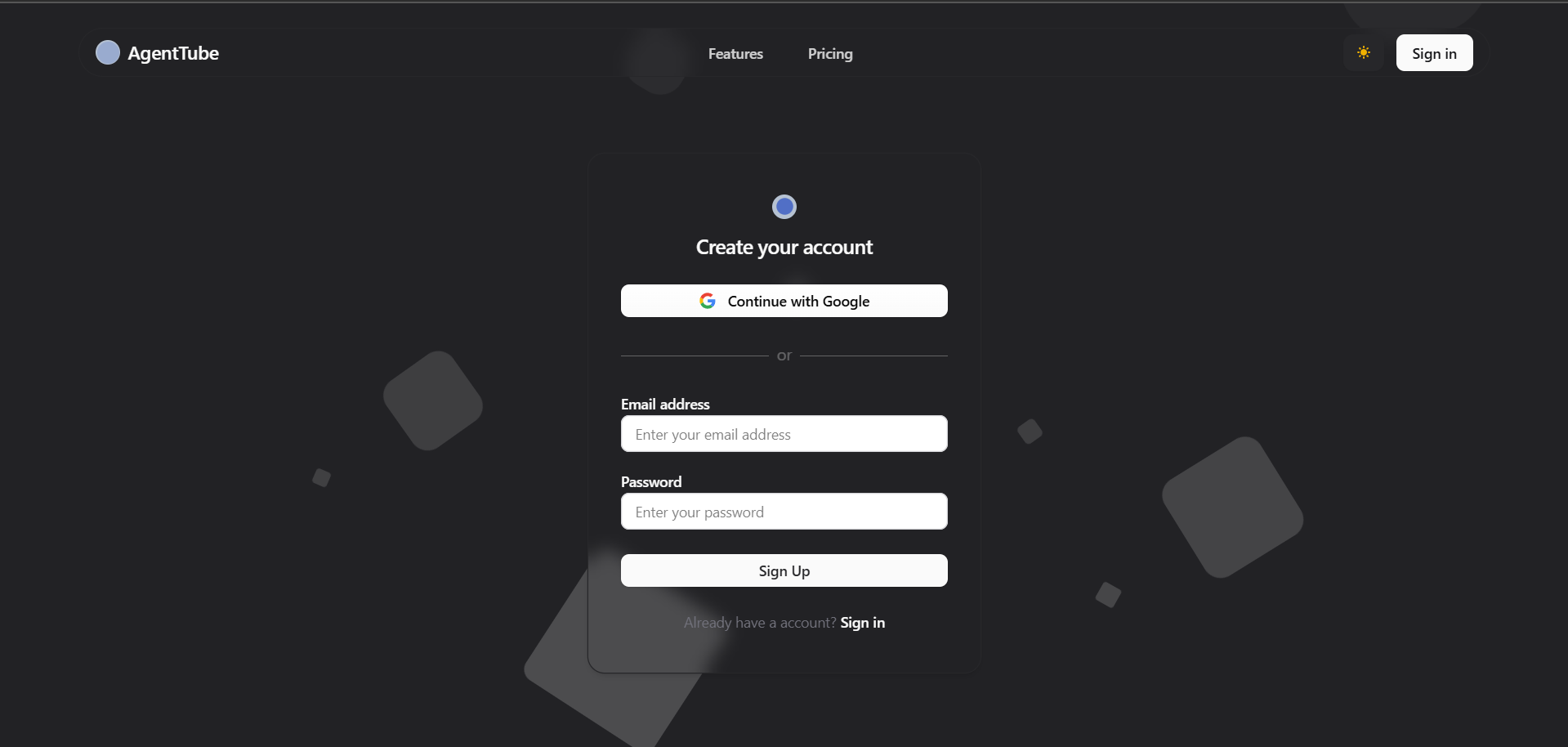
SignUp Screen
A matching, secure onboarding flow built using optimized Clerk SignUp modules.
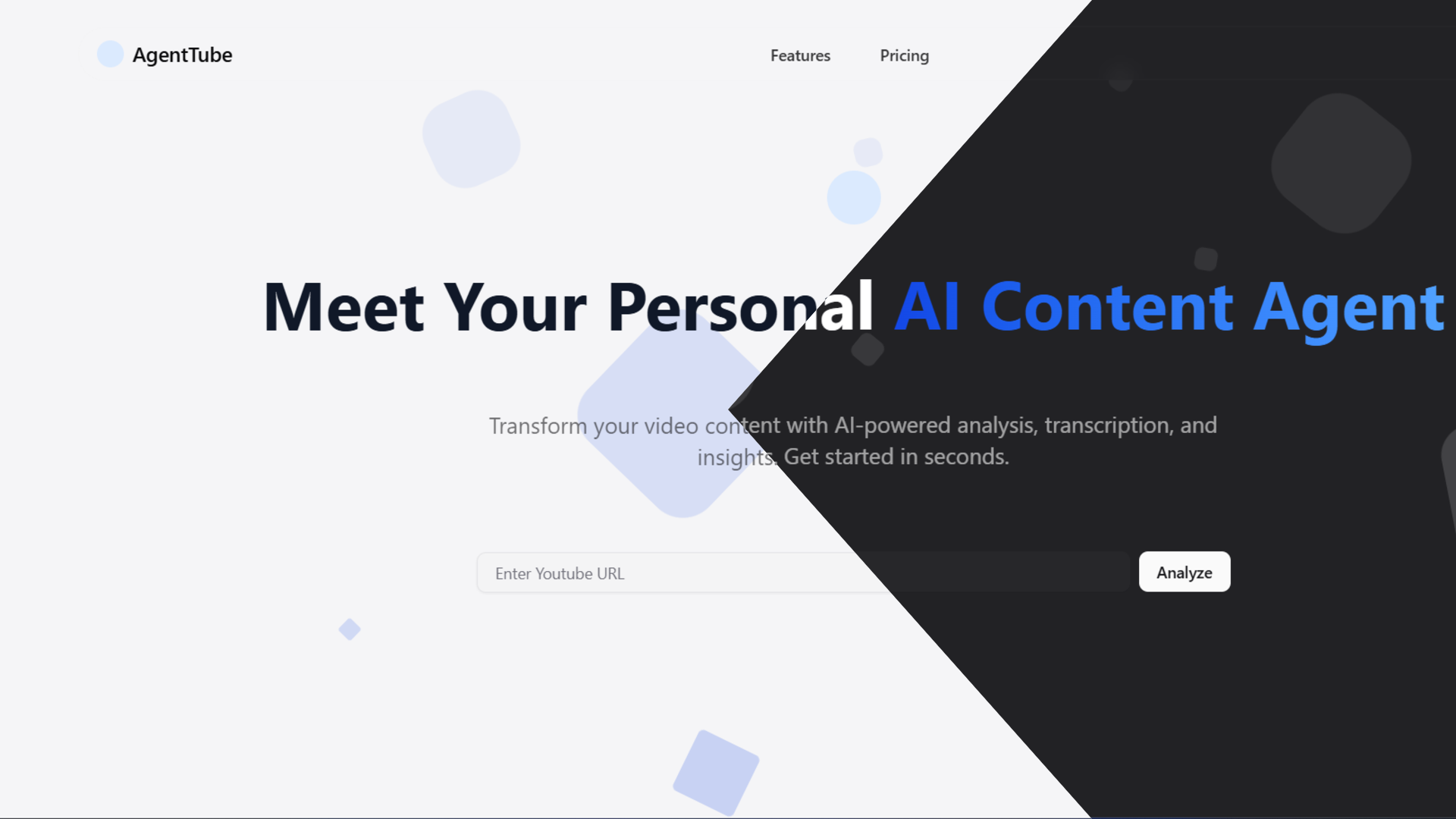
Theme Personalization
A global dark/light mode toggle that dynamically transforms the high-contrast dashboard UI to suit creator preference.
3. Creator Workspace & Dashboards
A unified workspace where creators manage analyzed media assets and collaborate with AI.
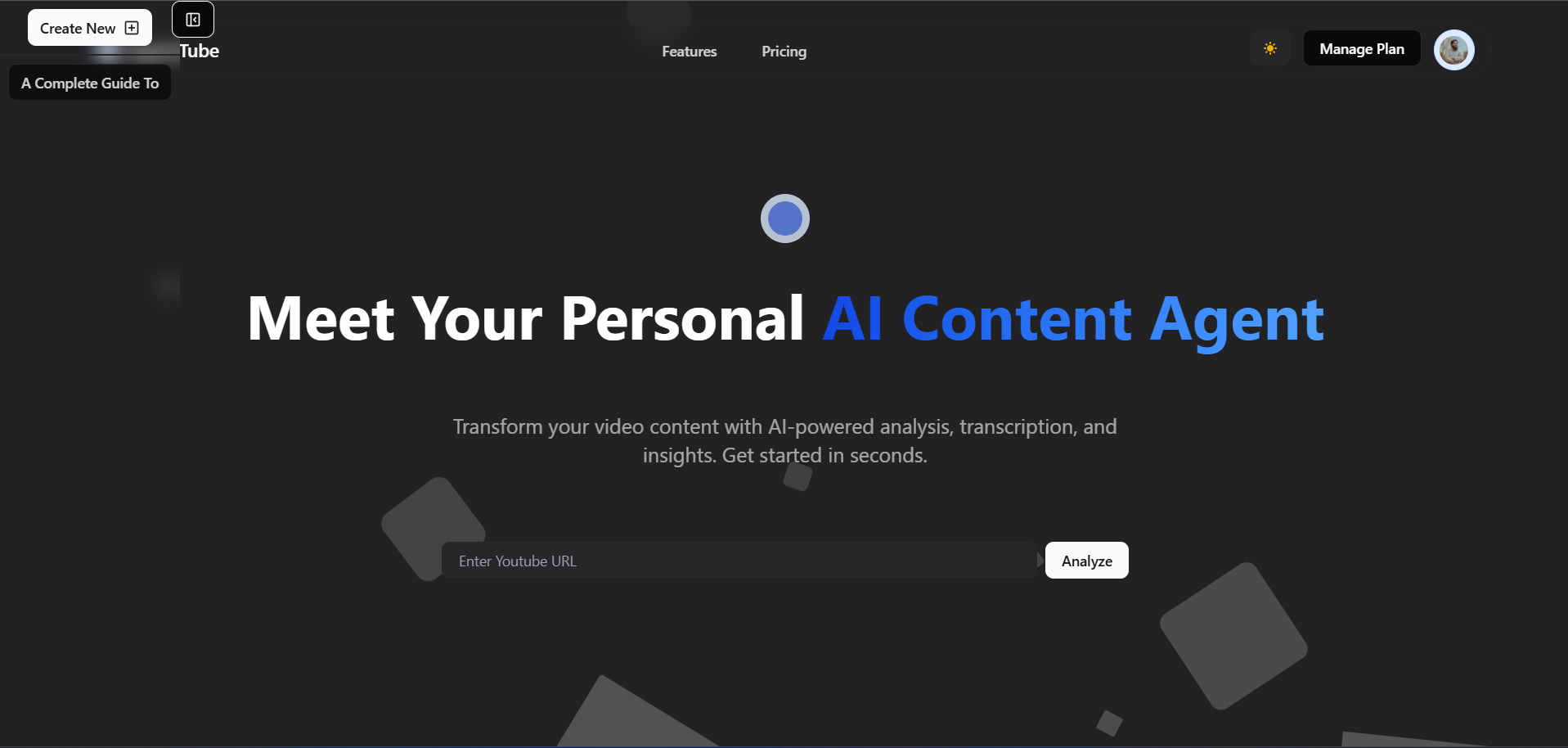
Creator Dashboard
A clean, centralized hub containing a sidebar for easy navigation of previously analyzed videos, global user profile controls, and quick-access inputs.
AI Video Analyzer Workspace
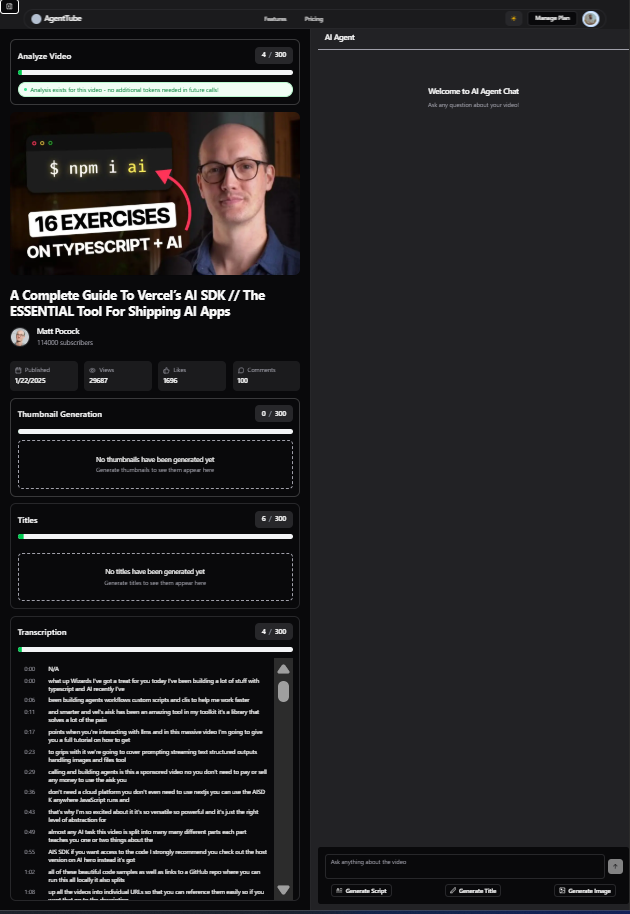
The primary interface that loads once a video has been analyzed, organized into highly interactive workspace zones:
- AI Chat Agent – Converse directly with the video context or trigger quick-actions to write scripts, titles, and summaries.
- Token Meter & Cache – Displays monthly remaining usage tokens and indicates if video data was served from cache.
- Metadata Display – Showcases YouTube video information including description, views, and channel statistics.
- Thumbnail Suite – Generates and previews custom high-resolution thumbnails using DALL-E/OpenAI models.
- Title Suite – Recommends SEO-optimized alternative headlines and tracks total title generation credits used.
- Transcription Panel – Syncs and displays auto-generated YouTube text transcripts used as context by AI models.
4. SaaS Monetization & Entitlements
Enterprise-grade payment processing and entitlement flows built with Stripe and Schematic.
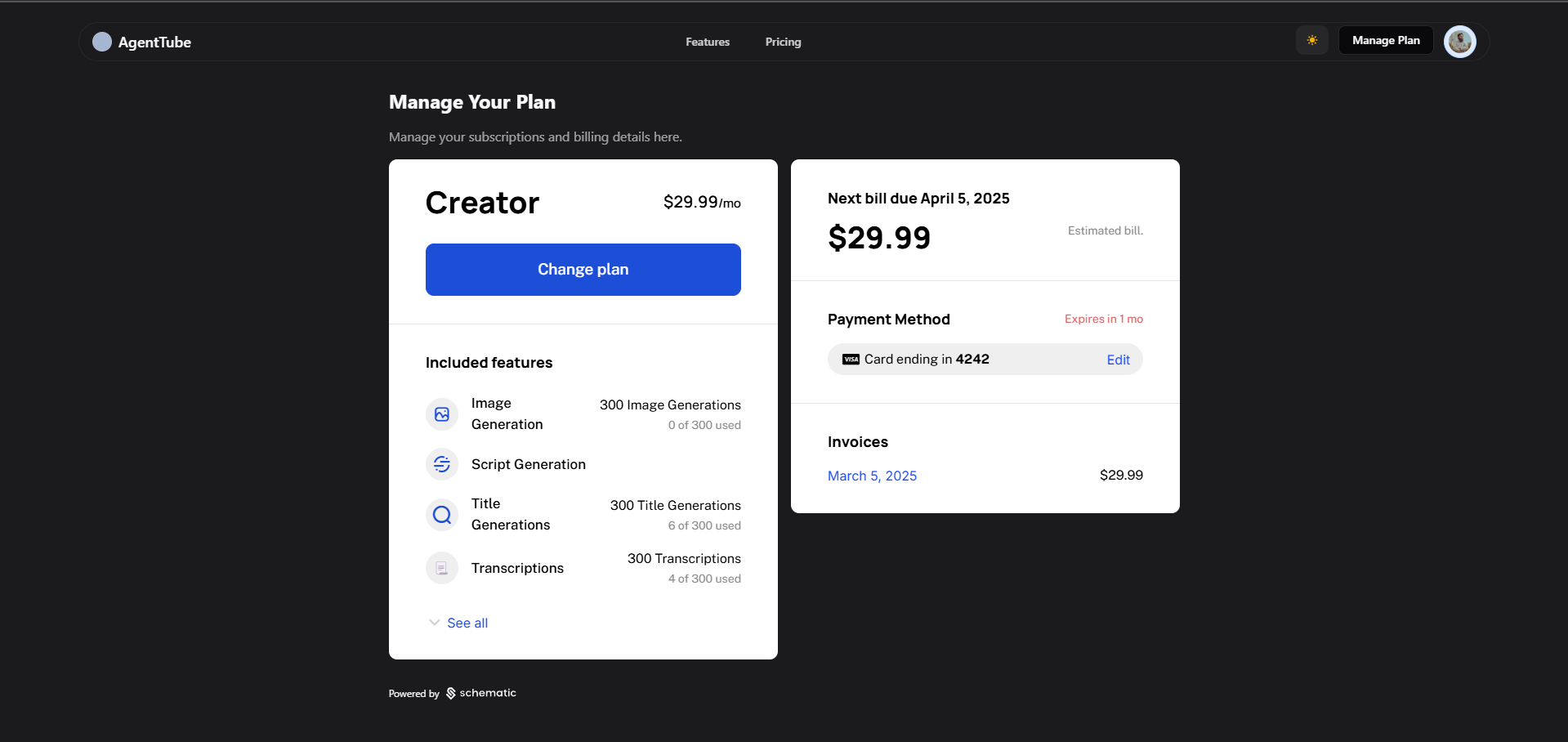
Entitlements Dashboard
A transparent plan management screen utilizing Schematic Elements to display active token balance, feature access, and upcoming billing cycles.
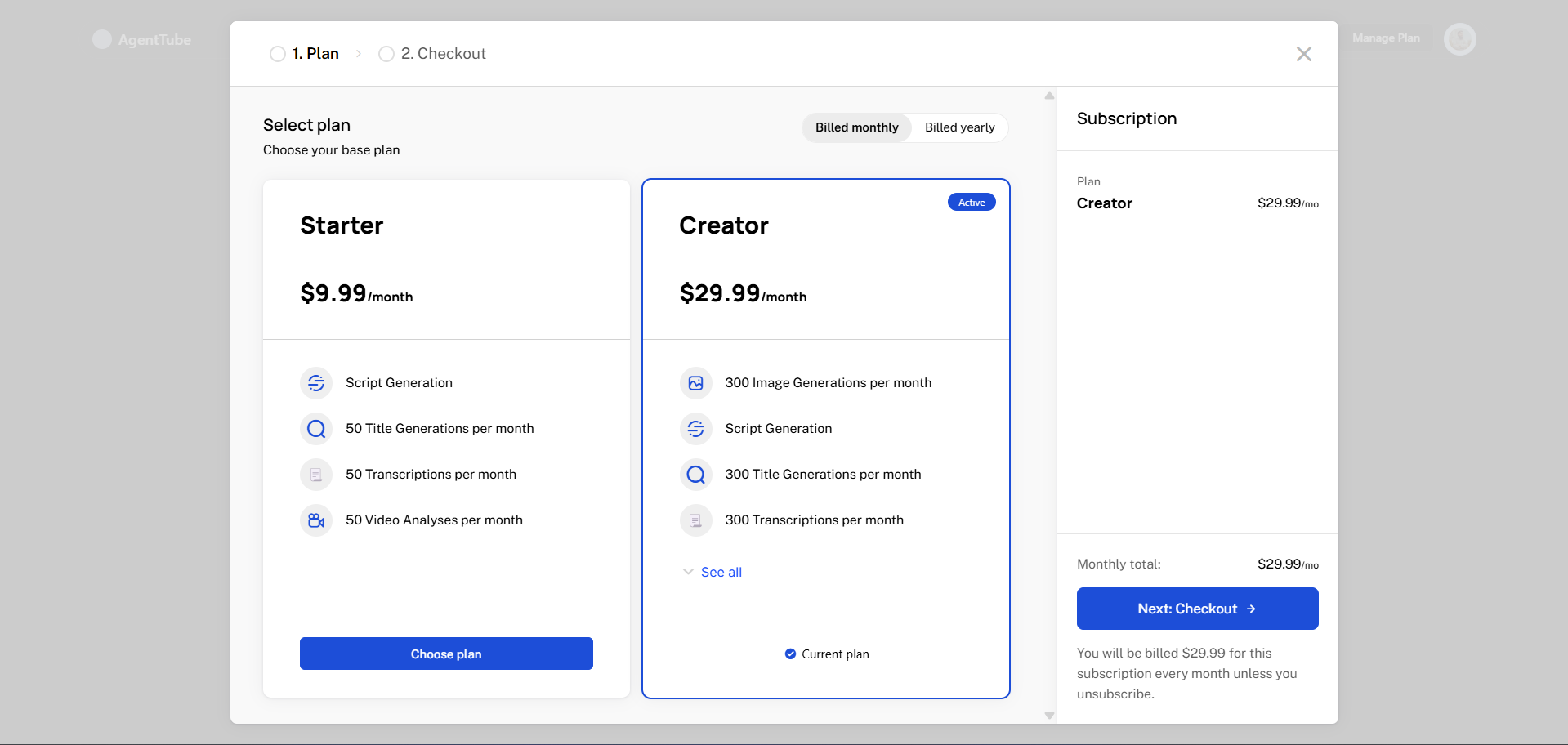
1. Plan Selection
The initial checkout step allowing users to view available upgrades and select their tier.
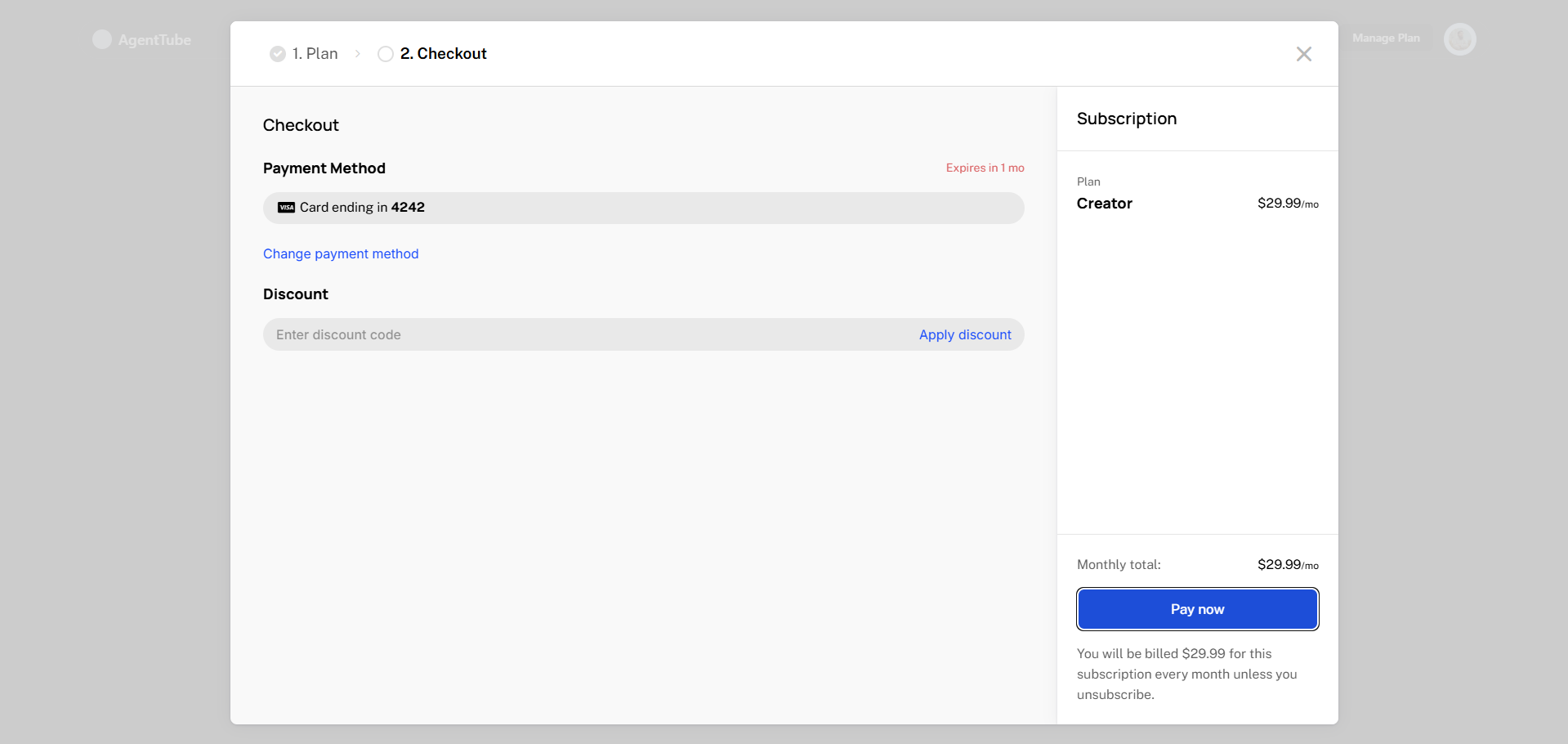
2. Stripe Checkout
Secure checkout interface for entering card information, billing details, and promotional codes.
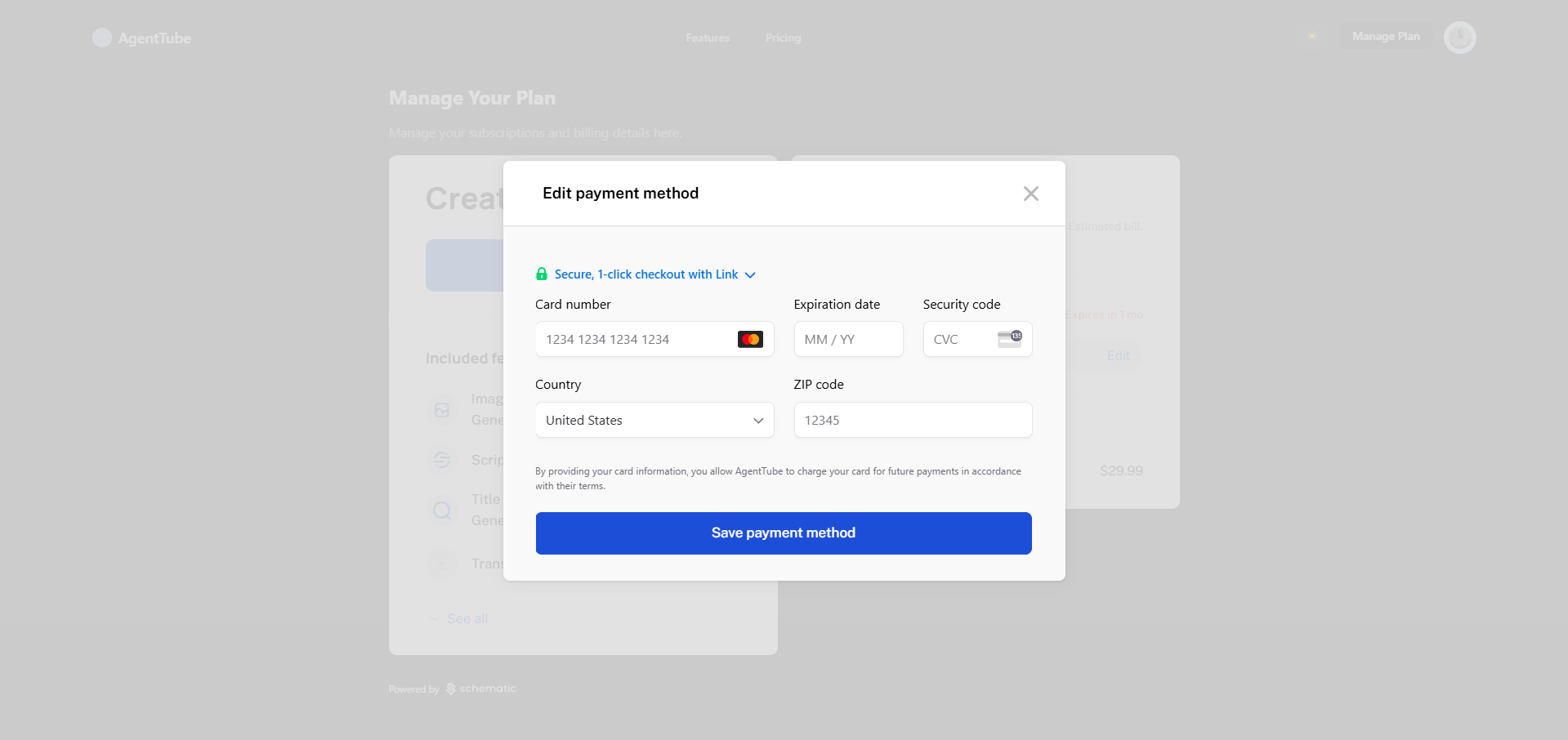
3. Saved Methods
Allows users to securely save and manage multiple payment methods for auto-renewals.
Conclusion
Building AgentTube was a major milestone in mastering AI-agent integration and orchestrating LLMs. Developing custom tools using the Vercel AI SDK, coupled with Convex caching, taught me how to optimize API latency and token overhead. Incorporating Stripe subscription checkouts and Schematic feature management further enhanced my ability to design scalable, production-grade SaaS solutions that seamlessly combine user-friendly interfaces with advanced backend capabilities.